Choose Which Site You Want To See


Touchpen Microsoft Surface Pen Bluetooth, + Precision Tip Red: Touchpen Microsoft Surface Pen Bluetooth, + precision tip Red

Touchpen Microsoft Surface Pen Bluetooth, + Precision Tip Silver: Touchpen Microsoft Surface Pen Bluetooth, + precision tip Silver

Touchpen Microsoft Surface Pen Bluetooth, + Precision Tip Dark Blue: Touchpen Microsoft Surface Pen Bluetooth, + precision tip Dark blue

Touchpen Microsoft Surface Pen Bluetooth, + Precision Tip Black: Touchpen Microsoft Surface Pen Bluetooth, + precision tip Black
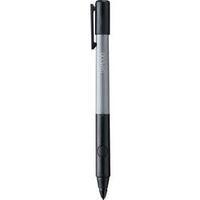
Touchpen Wacom Bamboo Fineline 2 Bluetooth, + Precision Tip Grey: Touchpen Wacom Bamboo Fineline 2 Bluetooth, + precision tip Grey

Microsoft Surface Pen Tip Kit - Digital Pen Tip - For Surface Pro 4- 4 Tips: Microsoft Surface Pen Tip Kit - Digital pen tip - for Surface Pro 4- 4 tips
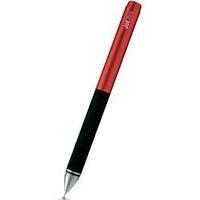
Touchpen Adonit Jot Pro + Precision Tip Red: Touchpen Adonit Jot Pro + precision tip Red

Microsoft Surface Pen V3 Silver: Smart Pen / Design: Full-size Stylus / Transport Options: Clip / Weight: 20 g / Length: 144 mm / Diameter: 9.5 mm / Colour: Silver / Features: Bluetooth, Control Keys / Compatible Tablets: Microsoft Surface 3, Microsoft Surface Pro 3, Microsoft Surface 4, Microsoft Surface Book

Microsoft Surface Pen V3 Black: Smart Pen / Design: Full-size Stylus / Transport Options: Clip / Weight: 20 g / Length: 144 mm / Diameter: 9.5 mm / Colour: Black / Features: Bluetooth, Control Keys / Compatible Tablets: Microsoft Surface 3, Microsoft Surface Pro 3, Microsoft Surface 4, Microsoft Surface Book
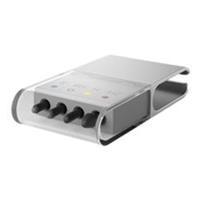
Microsoft Surface Pen Tip Kit: Choose a pen tip with the right feel for you. Stay with the medium tip with the familiarity of a pencil, or swap it with a low-friction tip similar to a fine point pen. Choose from one of four tips in surface pen tip kit.

Microsoft Surface Pen Tip Kit: Choose a pen tip with the right feel for you. Stay with the medium tip with the familiarity of a #2 pencil, or swap it with a low-friction tip similar to a fine point pen. Choose from one of four tips in Surface Pen Tip Kit.
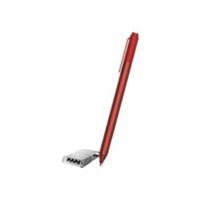
Microsoft Surface Pen V3 - Red: You can use the Surface Pen to draw and take notes in apps. Mark up PowerPoint presentations, Adobe PDF files, or Word documents just as you would on paper. Or get creative and draw something in Fresh Paint - a drawing app available in the Windows Store. The Surface Pen can also be used like a mouse. Switch seamlessly between touch, pen, mouse, and keyboard. Palm block technology lets you write comfortably without worrying about your hand touching the screen.
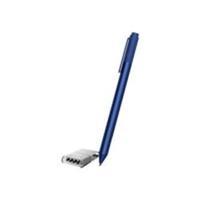
Microsoft Surface Pen Blue: You can use the Surface Pen to draw and take notes in apps. Mark up PowerPoint presentations, Adobe PDF files, or Word documents just as you would on paper. Or get creative and draw something in Fresh Paint - a drawing app available in the Windows Store. The Surface Pen can also be used like a mouse. Switch seamlessly between touch, pen, mouse, and keyboard. Palm block technology lets you write comfortably without worrying about your hand touching the screen.
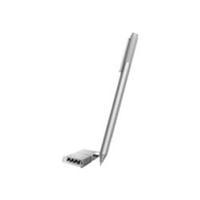
Microsoft Surface Pen V3 - Silver: You can use the Surface Pen to draw and take notes in apps. Mark up PowerPoint presentations, Adobe PDF files, or Word documents just as you would on paper. Or get creative and draw something in Fresh Paint - a drawing app available in the Windows Store. The Surface Pen can also be used like a mouse. Switch seamlessly between touch, pen, mouse, and keyboard. Palm block technology lets you write comfortably without worrying about your hand touching the screen.
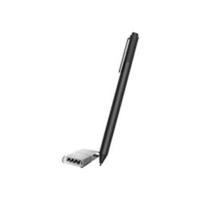
Microsoft Surface Pen V3 - Black: You can use the Surface Pen to draw and take notes in apps. Mark up PowerPoint presentations, Adobe PDF files, or Word documents just as you would on paper. Or get creative and draw something in Fresh Paint - a drawing app available in the Windows Store. The Surface Pen can also be used like a mouse. Switch seamlessly between touch, pen, mouse, and keyboard. Palm block technology lets you write comfortably without worrying about your hand touching the screen.
Microsoft Surface Pen Silver: You can use the Surface Pen to draw and take notes in apps. Mark up PowerPoint presentations, Adobe PDF files, or Word documents just as you would on paper. Or get creative and draw something in Fresh Paint - a drawing app available in the Windows Store. The Surface Pen can also be used like a mouse. Switch seamlessly between touch, pen, mouse, and keyboard. Palm block technology lets you write comfortably without worrying about your hand touching the screen.
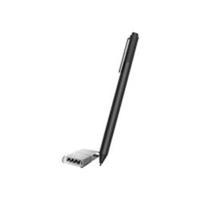
Microsoft Surface Pen V3 - Black: You can use the Surface Pen to draw and take notes in apps. Mark up PowerPoint presentations, Adobe PDF files, or Word documents just as you would on paper. Or get creative and draw something in Fresh Paint - a drawing app available in the Windows Store. The Surface Pen can also be used like a mouse. Switch seamlessly between touch, pen, mouse, and keyboard. Palm block technology lets you write comfortably without worrying about your hand touching the screen.
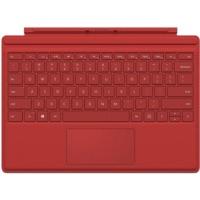
Microsoft Surface Pro 4 Type Cover (red): Tablet Keyboard / Series: Microsoft Surface / Interface: Magnetic / Design: Compact / Compatible Operating System: Windows / Compatible Product: Microsoft Surface Pro 3 / Number of Keys: 78 / Extra Keys: Media Keys / Features: Removable Keyboard / Housing Material: Plastic / Colour: Red / Length: 295 mm / Width: 216 mm / Height: 5 mm / Weight: 310 g

Microsoft New Surface Pen - Bluetooth 4.0 - Charcoal: Write, draw, or mark-up documents digitally. It feels as natural as pen on paper; with precision ink on one end and an eraser on the other.

Microsoft New Surface Pen - Bluetooth 4.0 - Burgundy: Write, draw, or mark-up documents digitally. It feels as natural as pen on paper; with precision ink on one end and an eraser on the other.